
How Power BI Services Help Organizations Make Smarter Decisions
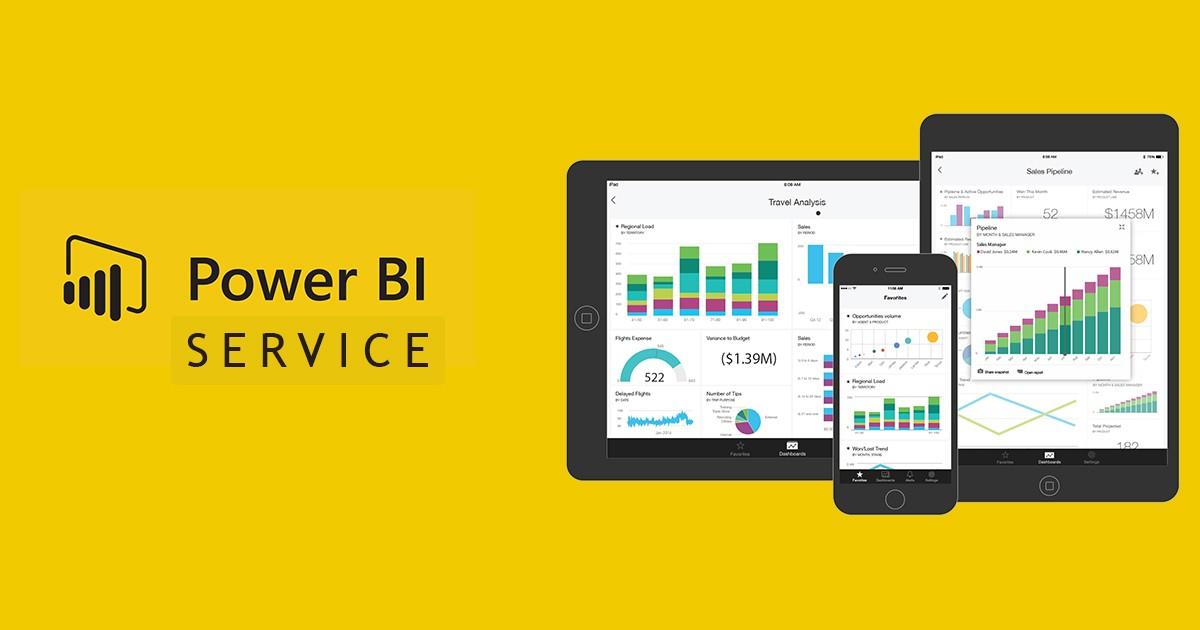
In today's data-driven business landscape, organizations generate vast amounts of information every day. However, collecting data is only the first step. The real value lies in transforming raw data into meaningful insights that drive better decision-making. This is where Power BI Services comes into play.
Power BI Services is a cloud-based business intelligence (BI) platform from Microsoft that enables users to publish, share, collaborate on, and access interactive reports and dashboards from virtually anywhere. Whether you're a small business or a large enterprise, Power BI Services helps streamline reporting, improve collaboration, and empower data-driven decisions across your organization.
What Is Power BI Services?
Power BI Services, also known as the Power BI Service, is the online Software-as-a-Service (SaaS) component of Microsoft's Power BI ecosystem. After creating reports and dashboards in Power BI Desktop, users can publish them to Power BI Services, where they can be securely accessed, managed, and shared with colleagues.
Unlike Power BI Desktop, which is primarily used for report creation, Power BI Services focuses on collaboration, cloud accessibility, report distribution, and automated data refresh. It allows organizations to maintain a single source of truth while ensuring that stakeholders always have access to the latest business insights.
Key Features of Power BI Services
1. Cloud-Based Access
Power BI Services stores reports and dashboards in the cloud, allowing users to access business intelligence from any location using a web browser or mobile device. This flexibility supports remote work and improves collaboration across teams.
2. Interactive Dashboards
Users can create personalized dashboards by pinning visuals from multiple reports. Interactive dashboards enable users to drill down into data, apply filters, and analyze trends without requiring technical expertise.
3. Real-Time Data Refresh
One of the biggest advantages of Power BI Services is its ability to automatically refresh datasets. Businesses no longer need to manually update reports, ensuring decision-makers always work with the most current information.
4. Collaboration and Sharing
Power BI Services makes collaboration simple. Reports and dashboards can be securely shared with individuals, teams, or the entire organization. Workspaces allow multiple users to collaborate on reports while maintaining version control.
5. Mobile Accessibility
Power BI offers dedicated mobile apps for Android and iOS devices, allowing users to view dashboards, receive alerts, and monitor business performance while on the go.
6. Data Security
Security is a priority in Power BI Services. Features such as Row-Level Security (RLS), Microsoft Entra ID integration, role-based access, and data encryption help protect sensitive business information while ensuring users only see data they are authorized to access.
7. AI-Powered Insights
Power BI Services includes artificial intelligence capabilities that automatically identify trends, anomalies, and patterns within datasets. Users can leverage natural language queries and AI-generated insights to uncover valuable business opportunities.
8. Integration with Microsoft Ecosystem
Power BI Services integrates seamlessly with Microsoft tools including Excel, Teams, SharePoint, Azure, Dynamics 365, and Microsoft Fabric. It also connects with hundreds of third-party applications and cloud services.
Benefits of Power BI Services
Improved Decision-Making
Power BI Services transforms complex data into clear visualizations, helping business leaders identify trends, measure performance, and make informed decisions quickly.
Enhanced Collaboration
Because reports are stored centrally in the cloud, employees across departments can work from the same data source. This reduces reporting inconsistencies and improves organizational alignment.
Increased Productivity
Automated data refreshes, scheduled reporting, and centralized dashboards eliminate repetitive manual tasks, allowing employees to focus on analysis rather than report preparation.
Scalable Solution
Power BI Services is suitable for organizations of all sizes. As businesses grow, they can easily add users, integrate new data sources, and expand reporting capabilities without rebuilding their analytics infrastructure.
Cost-Effective Business Intelligence
Compared to many traditional BI platforms, Power BI Services offers powerful analytics capabilities at a competitive price, making advanced business intelligence accessible to startups, SMEs, and enterprises alike.
Better Data Governance
Administrators can manage user permissions, monitor report usage, enforce security policies, and maintain compliance through centralized governance features.
Common Use Cases of Power BI Services
Sales Performance Reporting
Sales managers use Power BI Services to monitor revenue, track sales targets, analyze customer behavior, and identify top-performing products or regions through interactive dashboards.
Financial Reporting
Finance teams create automated reports for budgets, expenses, profit margins, cash flow, and forecasting. Scheduled refreshes ensure executives always review up-to-date financial information.
Marketing Analytics
Marketing professionals analyze campaign performance, website traffic, customer acquisition costs, conversion rates, and return on investment (ROI). Power BI consolidates data from multiple marketing platforms into a single dashboard.
Human Resources Analytics
HR departments use Power BI Services to monitor employee turnover, recruitment metrics, workforce diversity, training effectiveness, and employee performance.
Supply Chain Management
Supply chain teams track inventory levels, supplier performance, procurement costs, delivery timelines, and warehouse operations to improve efficiency and reduce operational risks.
Healthcare Reporting
Hospitals and healthcare providers use Power BI Services to monitor patient outcomes, operational efficiency, resource utilization, and compliance reporting while maintaining data security.
Manufacturing Operations
Manufacturers analyze production performance, equipment utilization, quality metrics, downtime, and maintenance schedules to improve operational efficiency and reduce costs.
Executive Dashboards
Executives benefit from high-level dashboards displaying key performance indicators (KPIs), financial summaries, sales trends, and operational metrics in one centralized location.
Power BI Services vs. Power BI Desktop
Although they work together, Power BI Desktop and Power BI Services serve different purposes.
| Power BI Desktop | Power BI Services |
|---|---|
| Used for building reports | Used for sharing and managing reports |
| Installed on a local computer | Cloud-based platform |
| Data modeling and report creation | Collaboration and distribution |
| Individual development environment | Organization-wide access |
| Manual publishing required | Automated sharing and scheduled refresh |
Most organizations use both tools together—Power BI Desktop for report development and Power BI Services for publishing, collaboration, and ongoing management.
Best Practices for Using Power BI Services
To maximize the value of Power BI Services, organizations should:
- Organize reports into dedicated workspaces.
- Implement role-based security and Row-Level Security.
- Schedule automatic dataset refreshes.
- Use certified datasets to maintain consistent reporting.
- Monitor report performance and optimize slow queries.
- Regularly review user permissions.
- Train employees to interpret dashboards effectively.
- Establish governance policies for data management.
Following these best practices ensures reliable reporting, stronger security, and better adoption across the organization.
Conclusion
Power BI Services has become one of the leading cloud-based business intelligence solutions for organizations seeking to transform data into actionable insights. Its cloud accessibility, interactive dashboards, AI-powered analytics, automated refresh capabilities, and seamless integration with the Microsoft ecosystem make it an invaluable tool for modern businesses.
Whether you're tracking sales performance, monitoring financial health, analyzing marketing campaigns, or improving operational efficiency, Power BI Services enables teams to collaborate effectively and make faster, data-driven decisions. By combining powerful visualization capabilities with secure cloud collaboration, organizations can unlock the full potential of their data and stay competitive in today's fast-paced business environment.
For businesses looking to modernize their reporting processes and build a culture of data-driven decision-making, investing in Power BI Services is a strategic step toward improved efficiency, better collaboration, and long-term growth.


 English
 Arabic
 French
 Spanish
 Portuguese
 Deutsch
 Turkish
 Italiano
 Russian
 Romaian
 Portuguese (Brazil)
 Greek
Greek