Rush Embroidery Digitizing Services for Logos, Hats, Patches, and More
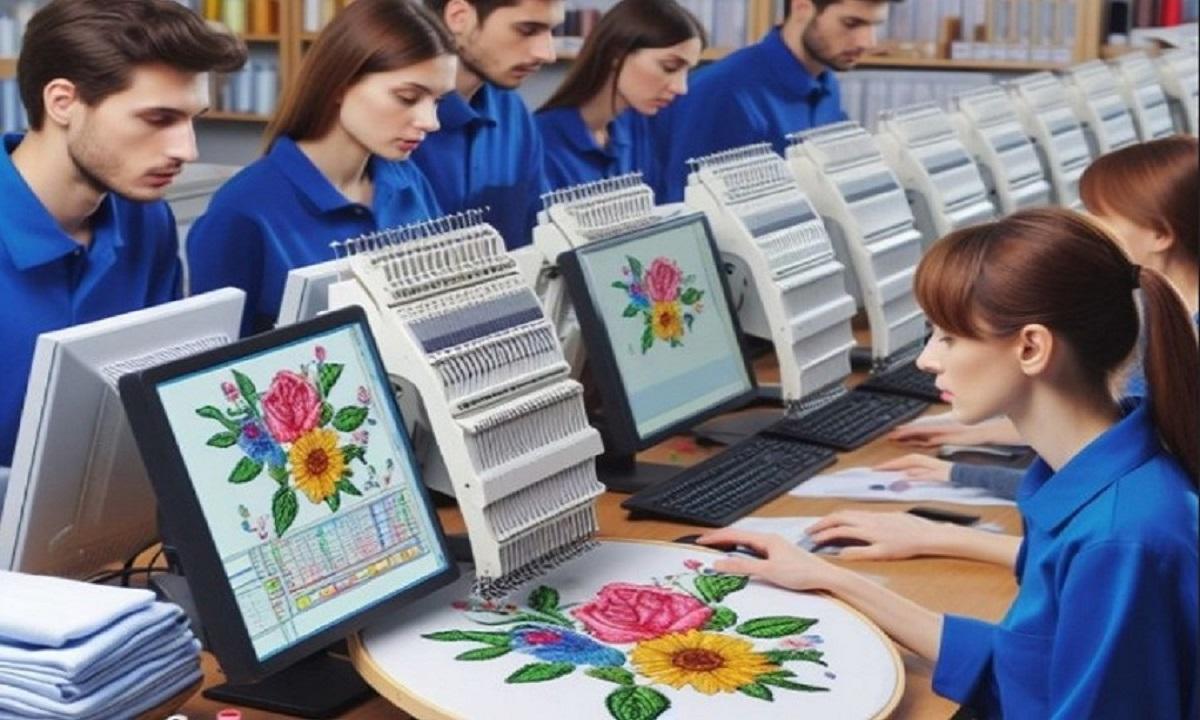
When you have an urgent embroidery job, time matters. A design may need to be stitched for an event, a new product launch, a team order, or a last-minute customer request. But fast work should not mean poor work. The embroidery file still needs the right stitch plan, clean details, and settings that fit the fabric and machine.
Rush Embroidery Digitizing Services can help when you need a machine-ready file in a short time. A skilled digitizer can review your artwork, plan the stitch paths, and prepare the file for production. The goal is to save time without losing stitch quality. This is useful for logos, hats, patches, shirts, jackets, uniforms, bags, and many other items.
What Is Rush Embroidery Digitizing?
Rush embroidery digitizing is a faster version of normal embroidery digitizing. The design is prepared on a shorter schedule.
The process still needs care. A digitizer must study the artwork and decide how each part should be stitched. They also need to check the design size, fabric, thread colors, and machine format.
The main difference is the turnaround time.
A rush job may be needed when:
-
A customer has a tight deadline.
-
An event is coming soon.
-
A team needs new uniforms.
-
A product launch is close.
-
A store needs stock fast.
-
A last-minute order must be filled.
Fast digitizing can help you meet these deadlines without using an untested auto-conversion tool.
Why Speed Matters in Embroidery
Embroidery production often follows a set schedule. If the design file is late, the whole job can be delayed.
A good rush service can help reduce this delay. The artwork can move from the design stage to the machine stage faster.
But speed should never remove the key steps.
The file still needs proper:
-
Stitch types.
-
Stitch density.
-
Underlay.
-
Stitch direction.
-
Pull compensation.
-
Color order.
-
Trim settings.
-
Machine format.
These settings help the design stitch in a clean and stable way.
Rush Digitizing for Logos
Logos are one of the most common embroidery jobs. They may be used on shirts, caps, jackets, bags, and uniforms.
A logo can look simple on a screen but be hard to stitch. Small text, thin lines, and tiny shapes can create problems.
A skilled digitizer may need to simplify some details. They may also change the stitch type or size of small elements.
Small Text Needs Extra Care
Small text is often one of the hardest parts of a logo.
If the letters are too small, they may close up during stitching. If the density is too high, the fabric may become stiff.
A good digitizer looks at the final stitch size. They make changes that help the letters stay clear.
This is especially important for company names, phone numbers, short taglines, and other fine text.
Rush Digitizing for Hats
Caps and hats need special care because they are curved.
The center seam can also affect stitch placement. If the file is not planned for the cap, the design may look uneven.
A good cap file may use:
-
Proper stitch direction.
-
Strong underlay.
-
Suitable density.
-
Center-out stitch flow.
-
Correct pull compensation.
-
Proper design placement.
The design also needs to fit the usable area of the hat.
Why Cap Designs Need Good Stitch Flow
Stitches should work with the shape of the cap. Poor stitch flow can cause gaps or make the design look distorted.
The digitizer should plan the stitch order to help the design stay balanced as the machine works across the curved surface.
This is one reason why auto-conversion may not give good results for cap embroidery.
Rush Digitizing for Patches
Patches can have bold shapes, text, borders, and fill areas. They are often made with dense stitching.
The border needs to be clean. The fill should also stay even.
A rush digitizing service can prepare patch files for different uses, such as:
-
Sports patches.
-
Club patches.
-
Work patches.
-
Military-style patches.
-
Brand patches.
-
Event patches.
The final file should be tested when possible. This helps catch problems before a large batch is made.
Rush Digitizing for Shirts and Jackets
Shirts and jackets can use many types of embroidery. A small chest logo may need a different stitch plan from a large back design.
Fabric thickness also matters.
For example, a light shirt may need a softer stitch plan. A thick jacket can support more stitching.
The digitizer should know the planned use before preparing the file.
Tell the Digitizer About the Fabric
Always share the fabric type if you know it.
Useful details include:
-
Cotton.
-
Polyester.
-
Denim.
-
Fleece.
-
Canvas.
-
Stretch fabric.
-
Workwear fabric.
This helps the digitizer choose settings that fit the job.
Why Manual Digitizing Matters
Manual digitizing gives the designer control over the stitch path.
Automatic tools may trace an image, but they do not always understand how stitches behave on fabric.
A manual digitizer can decide:
-
Where a stitch should start.
-
Where it should stop.
-
Which area should stitch first.
-
Which stitch type works best.
-
Where underlay is needed.
-
How much density each area needs.
This control is important when the deadline is short.
Check the File Format
Embroidery machines use different file formats.
Common formats include:
-
DST.
-
PES.
-
JEF.
-
EXP.
-
VP3.
-
HUS.
-
XXX.
-
PCS.
The correct format depends on your machine.
Before sending artwork, tell the digitizer which machine you use. If you are not sure, provide the machine brand and model.
A professional service should help you choose the correct output format.
What Makes a Good Rush Service?
Not every fast service gives the same level of work.
Look for a provider that can balance speed and quality.
Check Real Work Samples
Ask to see real embroidery samples. Do not rely only on digital previews.
Look for clean edges, clear text, even fills, and smooth curves.
Photos of finished embroidery can give you a better idea of what the service can produce.
Ask About Turnaround
Get a clear time estimate before placing the order.
Ask when the file will be ready. If you have a hard deadline, tell the service before work starts.
Do not assume that every rush job has the same turnaround time. Complex artwork can need more work than a simple logo.
Ask About Revisions
A good service should have a clear revision policy.
Small changes may be needed after you review the file. For example, you may want a color change or a slight size adjustment.
Ask:
-
Are revisions included?
-
How many revisions are allowed?
-
Is there an extra rush fee?
-
How fast are changes made?
Clear answers can prevent delays later.
Look for a Sew-Out Test
A sew-out test shows how the design looks on real fabric.
This can reveal problems that may not appear on a computer screen.
A test can show:
-
Gaps.
-
Too much density.
-
Poor text.
-
Uneven edges.
-
Thread problems.
-
Bad stitch direction.
For a large order, a test sew-out can be worth the extra time.
Do Not Choose by Price Alone
Rush work may cost more than normal digitizing. That is often due to the faster work schedule.
But the lowest price is not always the best deal.
A poor file can lead to:
-
Extra machine time.
-
More thread breaks.
-
Wasted garments.
-
More thread use.
-
Rework.
-
Missed deadlines.
A good file can help avoid these costs.
Think about the total cost of the job, not just the digitizing fee.
How to Send Artwork for a Rush Job
Good source artwork can help speed up the process.
Send the best file you have. Vector artwork is often useful, but a clear PNG, JPG, PDF, or other format may also work.
Include key details such as:
-
Final design size.
-
Fabric type.
-
Thread colors.
-
Machine format.
-
Placement.
-
Deadline.
Clear instructions reduce the need for back-and-forth messages.
Common Rush Digitizing Mistakes
Some problems can happen when people focus only on speed.
Skipping a Design Check
Even a simple design should be reviewed before production.
Using the Wrong File Format
A file that does not match the machine may not load or stitch correctly.
Ignoring the Fabric
The same file may not work well on every type of cloth.
Making Small Details Too Small
Tiny text and thin lines can disappear during stitching.
Skipping a Test
A test stitch can catch issues before the full order begins.
How Absolute Digitizing Can Help
Absolute Digitizing focuses on preparing embroidery files with careful stitch planning. For urgent projects, a rush service can help move artwork into production faster while keeping key digitizing steps in place.
The best approach is to provide clear artwork and complete job details from the start. This gives the digitizer the information needed to work quickly and accurately.
Final Thoughts
Rush embroidery digitizing can be a useful option when you have a tight deadline. It can help turn artwork into a machine-ready file without adding long delays to your production plan.
Still, fast does not mean careless. The file should have proper stitch density, underlay, stitch direction, pull compensation, and color order. The design should also match the fabric, size, and embroidery machine.
Before choosing a rush service, check samples, turnaround times, revision rules, file formats, and support. If the order is large, test the file before full production.
When speed and skill work together, you can meet tight deadlines and still produce clean, sharp, and professional embroidery.

 English
 Arabic
 French
 Spanish
 Portuguese
 Deutsch
 Turkish
 Italiano
 Russian
 Romaian
 Portuguese (Brazil)
 Greek
Greek